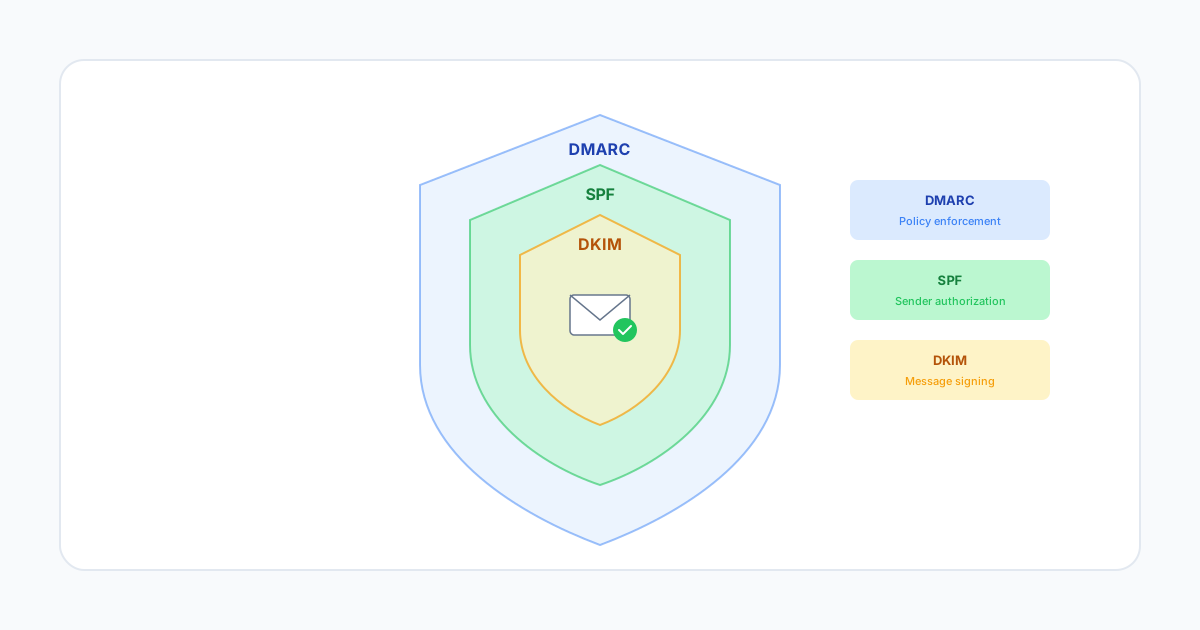
Email authentication might sound complex, but understanding DMARC, SPF, and DKIM is essential for protecting your brand and ensuring your emails reach the inbox. Let's break down these protocols in plain language.
The Email Authentication Trio
Think of email authentication like a three-factor verification system for your emails. Each protocol serves a specific purpose, and together they create a strong defense against spoofing and phishing while improving your deliverability.
SPF: Sender Policy Framework
SPF is like a guest list for your email. It tells receiving servers which IP addresses are authorized to send email on behalf of your domain.
When you publish an SPF record in your DNS, you're essentially saying: "These are the only servers allowed to send email as @yourdomain.com. Anyone else is an imposter."
How it works:
- You publish a TXT record in your DNS listing authorized sending IPs
- Receiving servers check incoming emails against this list
- Emails from unauthorized IPs fail SPF validation
Example SPF record:
v=spf1 include:_spf.smtpcloud.io ~all
DKIM: DomainKeys Identified Mail
DKIM adds a digital signature to your emails, proving they haven't been tampered with in transit and verifying they genuinely came from your domain.
Think of DKIM like a wax seal on a letter. If the seal is intact when the letter arrives, the recipient knows it hasn't been opened or altered.
How it works:
- Your sending server signs each email with a private key
- The corresponding public key is published in your DNS
- Receiving servers use the public key to verify the signature
- If the signature matches, the email passes DKIM validation
DMARC: Domain-based Message Authentication
DMARC ties SPF and DKIM together and tells receiving servers what to do when authentication fails. It also provides reporting so you can monitor who's sending email using your domain.
DMARC answers three critical questions:
- Should emails be checked against SPF and/or DKIM?
- What should happen to emails that fail authentication?
- Where should authentication reports be sent?
DMARC policies:
- none: Monitor only, don't affect delivery (use during setup)
- quarantine: Send failing emails to spam
- reject: Block failing emails entirely
Why Authentication Matters
Beyond security, proper email authentication directly impacts deliverability:
- Gmail and Yahoo requirements: As of 2024, bulk senders must have proper authentication or face blocking
- Improved inbox placement: Authenticated emails are trusted more by ISPs
- Brand protection: Prevent criminals from spoofing your domain for phishing
- Visibility: DMARC reports show exactly who's sending as your domain
Implementation Best Practices
Follow this sequence when implementing email authentication:
- Step 1: Set up SPF records for all authorized senders
- Step 2: Configure DKIM signing for all sending systems
- Step 3: Publish a DMARC record with p=none to monitor
- Step 4: Analyze DMARC reports and fix any issues
- Step 5: Gradually move to p=quarantine, then p=reject
SMTPCloud Authentication Support
SMTPCloud handles the technical complexity of email authentication for you. We provide pre-configured SPF includes, automatic DKIM signing with key rotation, and DMARC monitoring dashboards that translate complex reports into actionable insights.
Our onboarding team guides you through DNS configuration, validates your setup, and monitors authentication health continuously.